Secrets Management with Ansible Vault: A Comprehensive Guide with Examples
Ansible is a powerful automation tool. When automating various tasks, you may need to utilize sensitive information such as passwords, API keys, and SSH keys. Storing this data in plain text can pose security risks. To effectively manage such sensitive information, Ansible offers a built-in feature known as Ansible Vault. It has various commands to help in this task. Let's take a look at what Ansible Vault is and how you can use it to make sure your secrets stay secret.
What is Ansible Vault?
Ansible Vault is a feature that helps secure sensitive data within Ansible projects. It allows users to encrypt entire files or individual variables, protecting them with a password. This ensures that even if the codebase is compromised, the sensitive information remains secure and inaccessible to unauthorized users. You can place these vault files in source control or distribute them as they are encrypted.
Creating Vault File
ansible-vault create variables.yml
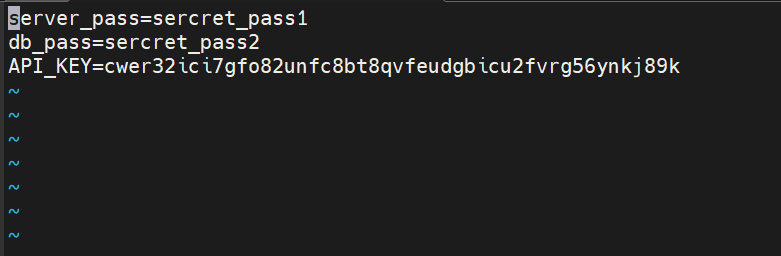
I have added 3 keys like the above. ( ESC button +:wq for write and escape)
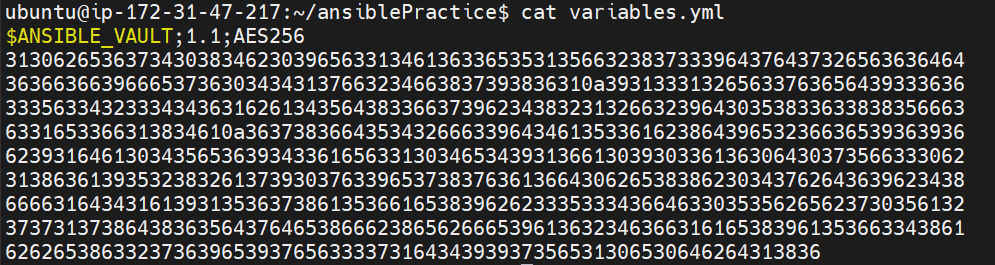
If you try to see the file you will see it's encrypted.
The first line of the file denotes that it's encrypted using Ansible Vault and using AES256 for encryption.
Viewing Vault File
ansible-vault view variables.yml

You will be asked for a password enter that and you will see file data.
Editing Vault File
ansible-vault edit variables.yml

You will be asked for a password enter that, you can edit your file.
Decrypting Encrypted Files
ansible-vault decrypt variables.yml
You will be asked for a password to enter that. now you can see your decrypted file by simply opening it. To encrypt it again use the below command.
ansible-vault encrypt variables.yml

Changing Password
ansible-vault rekey variables.yml

You will be asked for an old password. and then a new password to be set. and after a successful password change, you will get output like the above.
Using Encrypted Variables in Playbook
Let's say you want to find the location details of the server using its IP. we are going to use ipgeolocation API for that.
Create playbook location.yml
- name: Get IP Location Details
  hosts: localhost
  connection: local
  gather_facts: no
  vars_files:
      - secrets.yml
  tasks:
    - name: Install Requests Library
      pip:
        name: requests
        state: present

    - name: Get IP location details
      uri:
        url: "https://api.ipgeolocation.io/ipgeo?apiKey={{ ipgeolocation_api_key }}&ip={{ external_ip }}"
        method: GET
        return_content: yes
      register: location_details

    - name: Print location details
      debug:
        msg: "{{ location_details.content }}"
now create a new Ansible vault file called secrets.yml and add a variable in it like below
ansible-vault create secrets.yml
external_ip: <ip address to get data about>
ipgeolocation_api_key: "<your api key>"

You can see that we are using both variables defined in secrets.yml in location.yml by using "{{ variable_name }}" notation. we have also defined variables using "vars_files".
Now Run our Playbook It using the below command
ansible-playbook location.yml --ask-vault-pass
You will be asked for a password and then you can see details about the output below
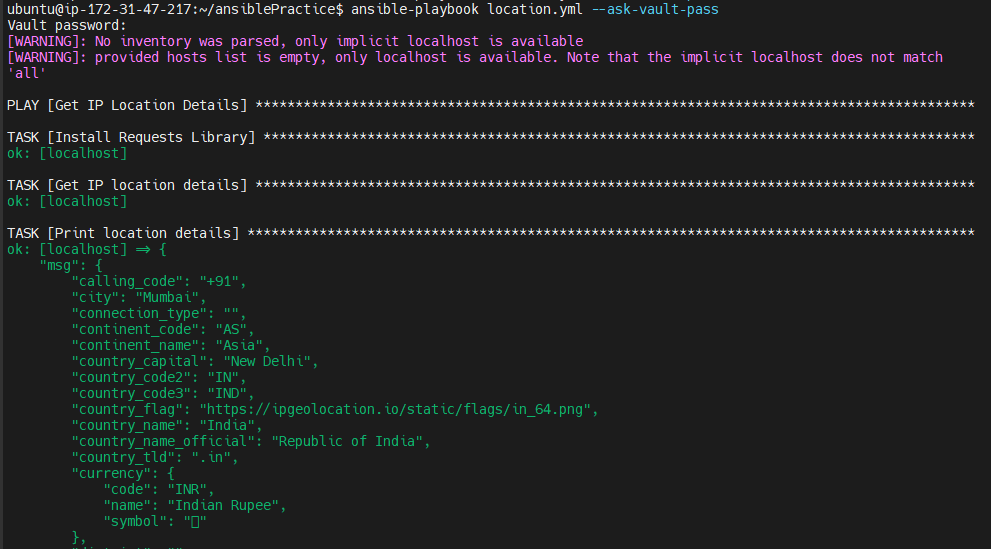
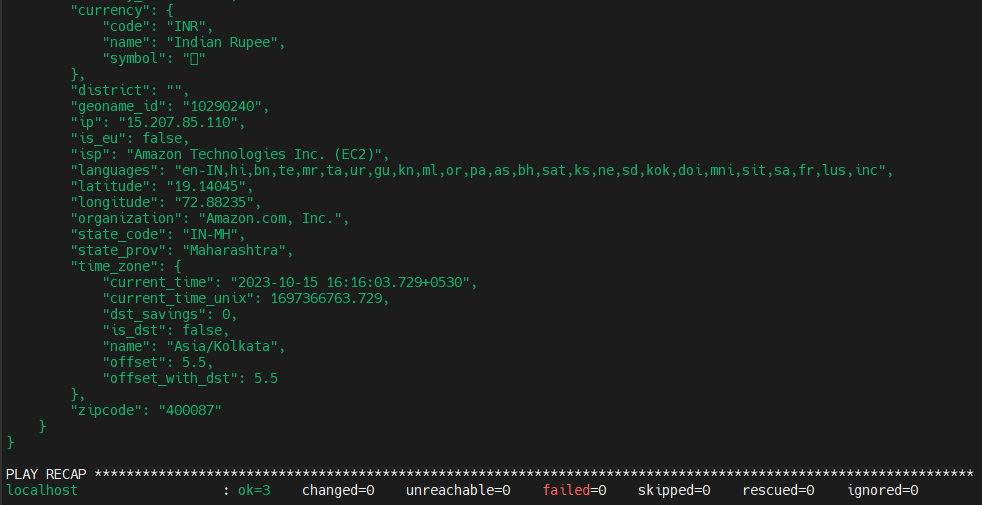
In this way, you can use passwords from the vault inside playbooks.
Providing Secrets from an external file
If you don't want the password to be asked every time you run the playbook. you can provide a password using an external file.
create a file called password.txt and enter your password in it. like below

Now Run Playbook using the below command
ansible-playbook --vault-password-file ./password.txt location.yml
You can see it worked and it didn't even ask for a password
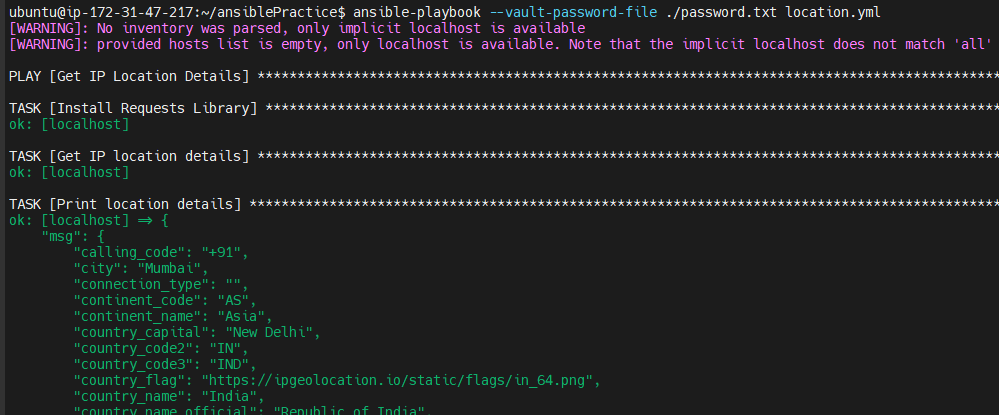
You can even use a Python executable file to get the vault password like a below
ansible-playbook --vault-password-file ./password.py location.yml
Using vault-id to Create multiple vaults
Create Two Vaults one for IP address and one for API key. keep passwords for both vaults different.
Creating a File called ipaddress.yml
ansible-vault create ipaddress.yml --vault-id ip@prompt
external_ip: 15.207.85.110
Create another File called apikey.yml
ansible-vault create apikey.yml --vault-id api@prompt
ipgeolocation_api_key: "<api key>"
Now let's edit out the location.yml playbook like below. we are just updating "vars_files" field.
- name: Get IP Location Details
  hosts: localhost
  connection: local
  gather_facts: no
  vars_files:
      - ipaddress.yml
      - apikey.yml
  tasks:
    - name: Install Requests Library
      pip:
        name: requests
        state: present

    - name: Get IP location details
      uri:
        url: "https://api.ipgeolocation.io/ipgeo?apiKey={{ ipgeolocation_api_key }}&ip={{ external_ip }}"
        method: GET
        return_content: yes
      register: location_details

    - name: Print location details
      debug:
        msg: "{{ location_details.content }}"
Now For running playbook location.yml, it needs variable values from both files. As both files have different passwords we need to provide two passwords. we can do this using a command like below.
ansible-playbook location.yml --vault-id ip@prompt --vault-id api@prompt
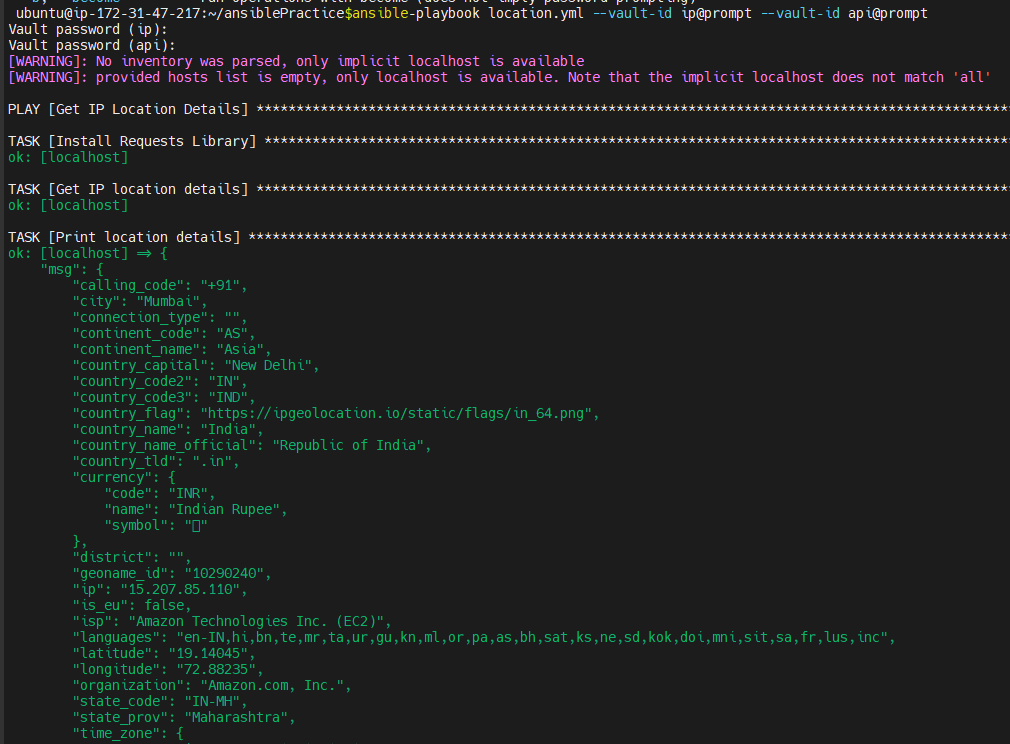
You can see that the above Playbook was successful. and it prompted for two passwords.
if you pass only one password it will fail like below

In this way by using Ansible Vault, you can securely manage sensitive information, Like database usernames and passwords, API keys and configuration files.
About the author
Writing blogs about Ansible, Powershell,Cloud And Web Development.
Comments
Join the discussionthank you for the indetail explanation